Coupon savings:
compare the cost you pay
A percentage code, a fixed discount, and free shipping can produce different totals. Compare the same basket before you choose an offer. MonkeyCoupons helps you check the arithmetic with amounts you enter.
Compare my offersCoupon savings calculator
Enter the eligible subtotal before the coupon. Enter each offer exactly as advertised. Use the shipping charge that applies to the percentage and fixed coupons. All amounts use US dollars. Results update as you type.
| Offer | Cost | Savings |
|---|
Method: discount equals eligible subtotal multiplied by the percentage divided by 100. Subtract the discount, then add shipping. For a fixed coupon, subtract its amount instead. This tool limits either discount to the eligible subtotal and rounds the discount to the nearest cent.
For free shipping, the cost equals the subtotal. Savings compare each offer with the same subtotal plus ordinary shipping. The free-shipping result assumes you qualify for that offer. A result does not confirm eligibility. Taxes and other charges are outside this estimate.
Check a coupon against your actual basket
Start with the items you already intend to buy. Write down their current prices before you enter a code. Separate any items that the offer excludes. If only part of the basket qualifies, enter that part in the calculator. Add the unchanged cost of excluded items when you review the complete order.
- Read the offer’s expiry date, eligible products, and minimum spend. Check whether the offer requires an account or membership.
- Check how the seller measures the minimum spend. Do not assume that delivery charges or excluded items count.
- Enter the code in checkout. Check the discount amount and the delivery charge before you submit the order.
- Keep the offer terms with your receipt. Record what the seller actually charged.
The Federal Trade Commission’s Online Shopping guidance (May 2023) recommends comparing the full cost, including delivery, taxes, and other fees. It also recommends checking deal conditions and keeping purchase records. Use those checks after this estimate, because the calculator cannot inspect a seller’s checkout.
Read the example carefully
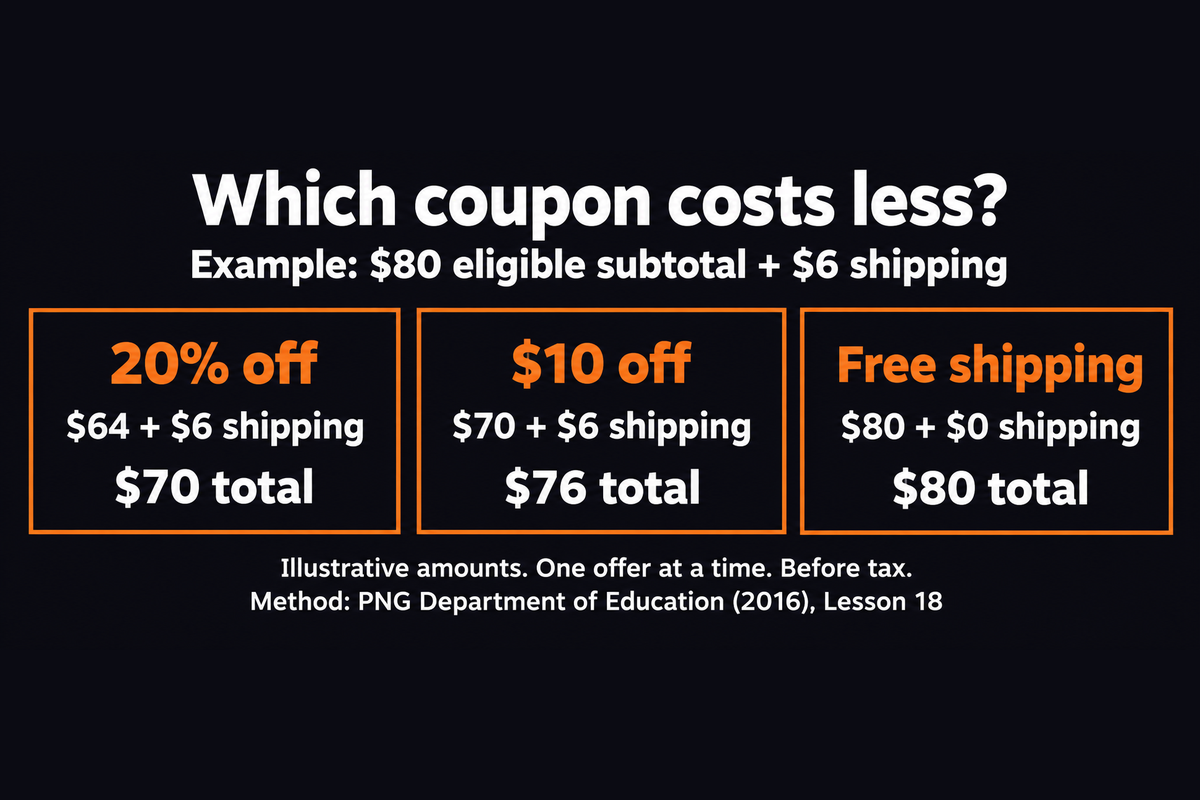
The graphic uses an invented basket, not a live deal. An $80 subtotal with $6 shipping costs $86 without an offer. A 20% coupon removes $16, so the cost becomes $70 with shipping. A $10 coupon gives a $76 cost. Free shipping gives an $80 cost. The percentage coupon saves $16, the fixed coupon saves $10, and free shipping saves $6.
These examples apply the discount method in the Papua New Guinea Department of Education’s Grade 7 Mathematics, Strand 1 (2016), Lesson 18. The basket and shipping amounts are our illustrative inputs. They are not prices from a store. Change the inputs to compare your own offers.
Avoid spending extra just to use a code
Compare the order you want with the order the offer requires. For example, adding an unwanted $12 item to avoid a $6 shipping charge increases the cost by $6 before tax, assuming all other prices stay unchanged. Calculate that difference before you add the item.
A lower total is only useful if the items meet your needs. Check the exact model, size, and condition when you compare sellers. Check return costs before you choose a sale item. The FTC’s 2023 guidance notes that sale items can have different return policies.
Questions about coupon savings
Does MonkeyCoupons find or verify promo codes?
No. This page compares amounts you enter. It does not search stores, verify codes, track prices, or promise that an offer will work. Confirm the discount in the seller’s checkout before you pay.
Can I combine these offers?
This calculator compares separate offers. It does not combine them. Check the seller’s terms before you try to use multiple discounts. If you need to compare a combined offer, calculate its final checkout amount separately.
Why does my checkout total differ?
This estimate excludes taxes, handling charges, and other fees. It assumes the entire entered subtotal qualifies for the coupon. Use the same eligible items for each comparison, then check the seller’s final total.